
Launch
First, you need to choose if you want to deploy your token on HyperCore or HyperEVM.
HpumpCore
Launch Via Hfun Bot
- Use the /launch command in the Hypurr Fun bot to start the process.
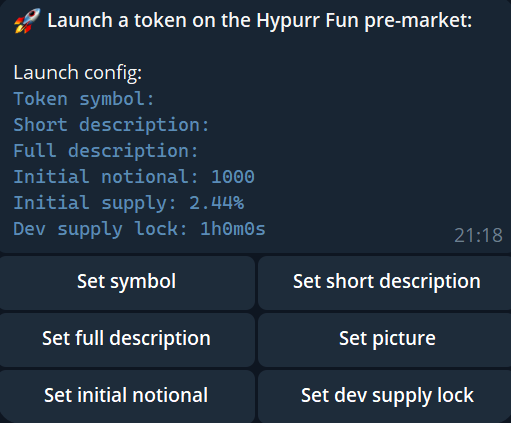
- Provide key details such as:
- Token Information: Define the unique symbol for your token and provide a description:
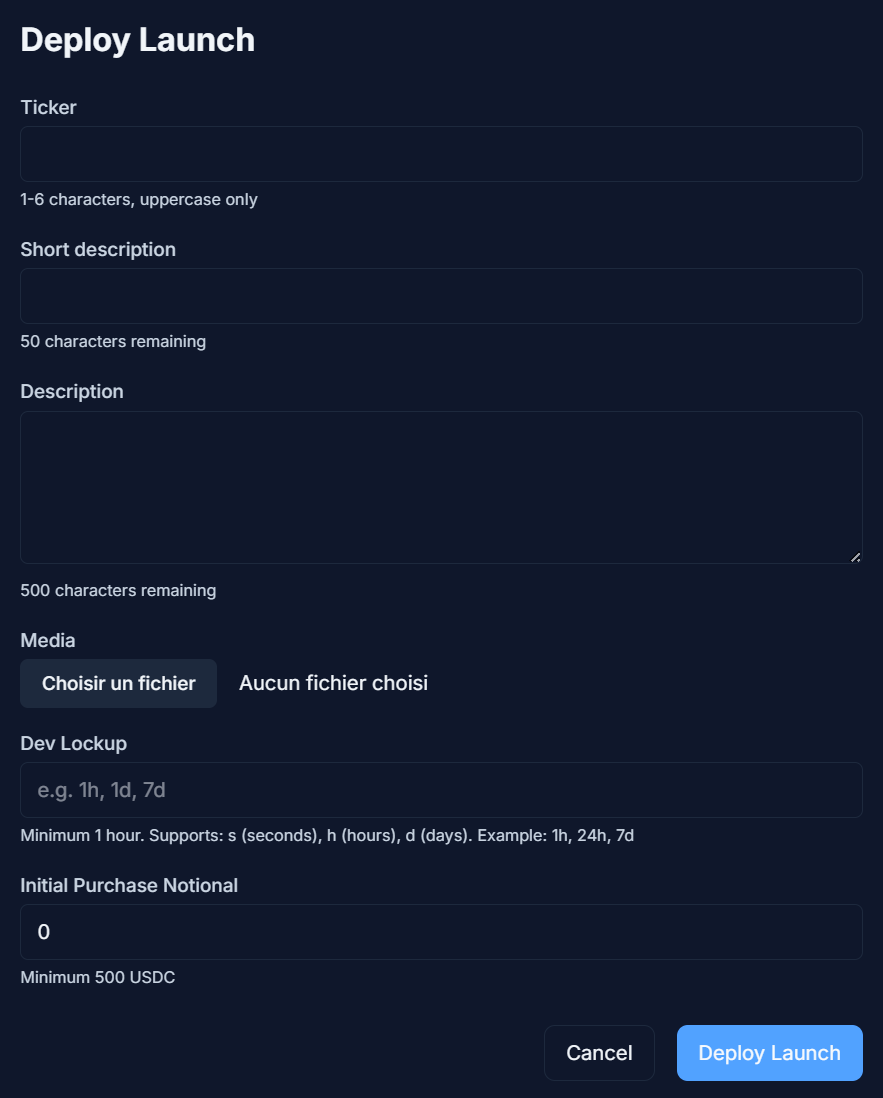
- A short description (max 50 characters) that will appear on the Hyperliquid frontend.
- A full description with full details about your token, including its purpose, features, and links to socials or external resources.
- Optionally, upload a picture (logo or image) to visually represent your token.
- Initial Notional: Allows the creator to secure tokens before snipers. The purchased supply is locked for a duration (min 1h, up to 1w) to ensure a fair launch. Minimum notional is $500.
- Token Information: Define the unique symbol for your token and provide a description:
- Your token will then be listed in the Hpump ecosystem, making it available for trading and enabling others to support your project.
Launch Via Hpump Dashboard
Click on the Launch Button and provide the same key information
HpumpEVM
Launch Via Hfun Bot
- Coming Soon
Launch Via Hpump Dashboard - Same as HpumpCore
Launch Protection
HpumpCore Features- Initial Notional Lock: Creator's initial purchase locked for chosen duration (1h, 12h, 1d, 3d, or 1w)
- Order Capping: Orders limited to $1,500 during first 60 seconds
- Trading Start Delay: Trading begins 1 minute after launch
- Preconfigured Buy: Creators can secure tokens during launch to compete with snipers
- Native HYPE Trading: Launches traded with native HYPE (not WHYPE)
- Launch Cooldown: 60 seconds between launches, plus 10 extra seconds for 0 score users
- Trading Options: Use Hfun wallet or external wallet (external wallets default to 0 score)
- HFUN Score: Requires HFUN in HyperCore wallet to increase score (HyperEVM HFUN not counted)
- No Minimum Buy: No minimum purchase amount for first buy
- Dev Lock: Currently no dev lock logic (coming in future version)