
Link Read-Only Wallet
How to Link a Wallet in Read-Only Mode in Hypurr Fun
Follow these steps to link your wallet in Read-Only mode:
- Use the /wallets command to open the Wallets menu.
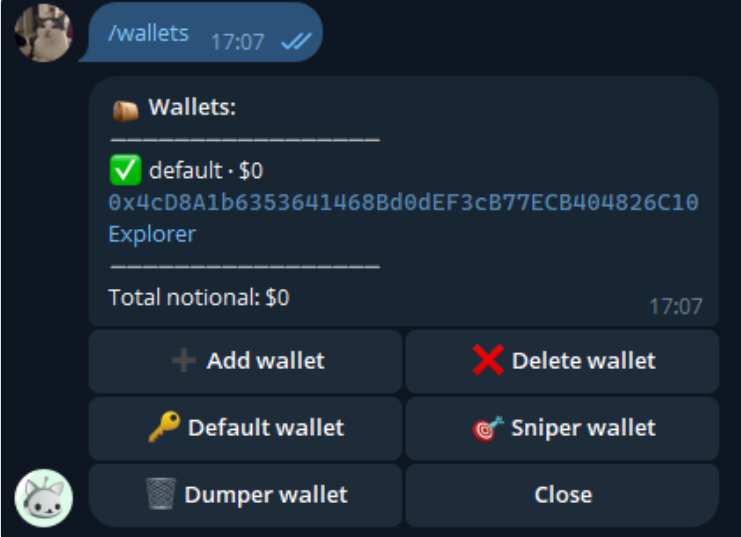
- Press "Add Wallet".
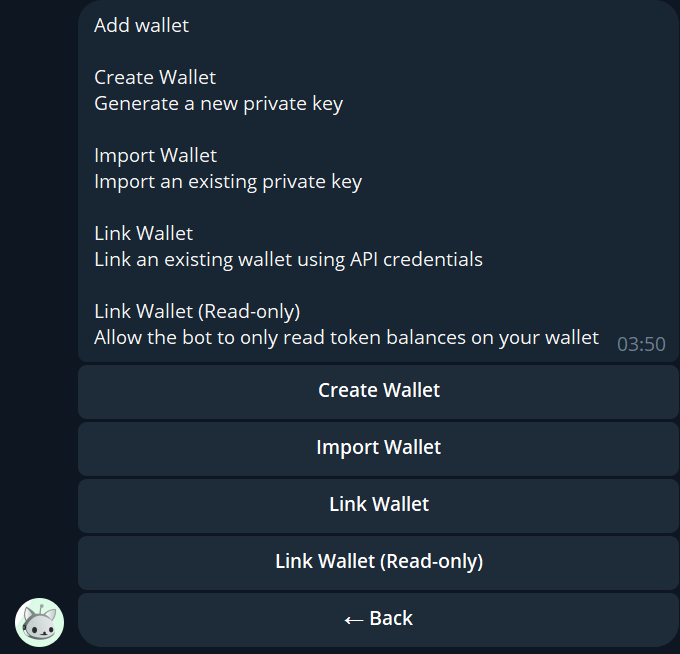
- Select "Link Wallet (Read-Only)".
- Name your wallet (this name is for identification purposes and is different from your wallet's address).
- Enter your wallet's address (ensure it starts with "0x").
- The bot will ask you to transfer a specific amount of USDC. Go to Hyperliquid and transfer the exact amount of USDC to the given wallet, from your SPOT account only.
- Once the USDC transfer is complete, press the "Link" button in the bot.
Whale Chats
Whale Chats are exclusive Telegram groups reserved for token holders who meet specific thresholds.
Exclusive Whale Chats
Whale Chats ListThese chats are designed for holders of specific tokens who meet strict ownership thresholds:
- Hyperliquid Fat Cats: 1,000,000 $PURR (0.1%) — @Hyperintern
- JEFF Whale Chat: 2,478 $JEFF (0.25%) — @JHyperliquid
- HFUN Whale Chat: 1,994 $HFUN (0.2%) — @Hypurrfun
- Catbal Council: 5,000 $CATBAL (0.5%) — @CatCabal_hl
- Pip Whales: 5,000 $PIP (0.5%) — @PipOnHL
- Schizo: 4,991 (0.5%) — @schizo_on_hl
- Atehun: 4,539 $ATEHUN (0.4%) — @crypto_adair
For $HYPE token holders, multiple tiers of Whale Chats exist:
- Hype Whale Chat: 100,163 $HYPE
- Beluga Whale Chat: 500,818 $HYPE
- Fabled Chat: 2,500,000 $HYPE